How to Reset Brother MFC-J6520DW (Ink Ink Absorber Full Solution)? Brother printers have built in software/firmware that keep a record of the number of copies and prints. When you reach a certain point, machines shows 'Ink Absorber Full Solution' error message with red light blinking and you are not allowed to do any work. It's a small/minor problem but not knowing it gives us a lot of stress. The way to solve it is very simple, which I am sharing today. Follow the steps below carefully, which will solve your problem 100%.
Follow Steps:-

1. Go ot main menu by pressing on Home icon.

2. Hold down 5 seconds on Home icon. Then you see screen like below.

3. Hold down 3 seconds on blank tab. (in the place shown by arrow.) Then you see screen like below.
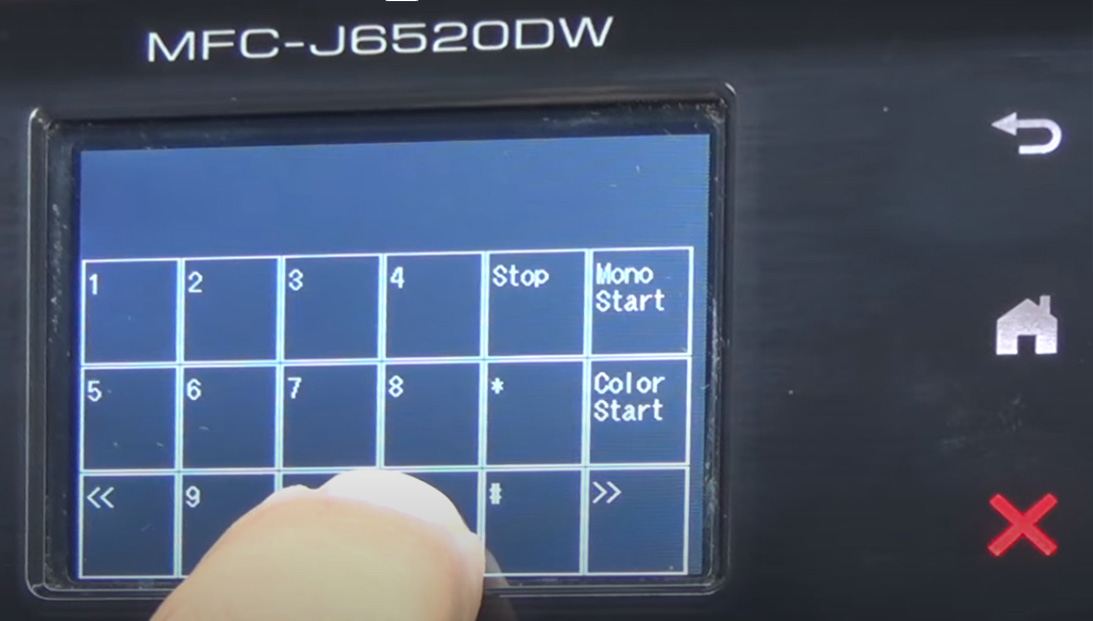
4. Press *2864 from screen. Then it shows maintenance.
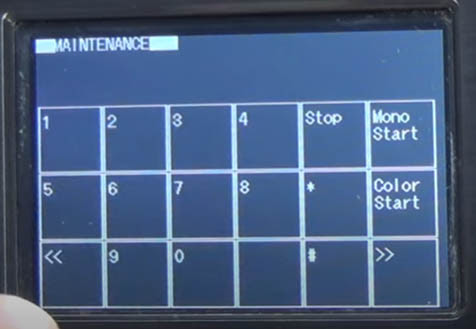
5. Then press 80 (input value) from showing panel; you will see ok.

6. Press the Color Start about 19/20 times until the purge appears in the red circle above. Now the purge value is PURGE 04168.

7. After that press 2783 from panel. Now you will see -MAINTENANCE-. Press 80 again. Press the Color Start about 19/20 times until the purge appears in the red circle above. Now the purge value is PURGE 00000.

8. Now your problem is completely solved.
Thanks for Visiting!!
ABOUT THE AUTHOR
Hello We are OddThemes, Our name came from the fact that we are UNIQUE. We specialize in designing premium looking fully customizable highly responsive blogger templates. We at OddThemes do carry a philosophy that: Nothing Is Impossible


 ? Brother printers have built in software/firmware that keep a record of...)
0 Comments:
Post a Comment